 NiceLook.net
The prompt makes the difference: same AI, two results
An image generator doesn't guess what you want: it executes the text it receives. With the same photo and the same AI, a vague request gives a slightly nicer picture; a structured prompt gives a catalog-ready visual. The demo below was made on October 10, 2026.
100 free credits (5 images) · no subscription · packs from €4.99
Same photo, two prompts
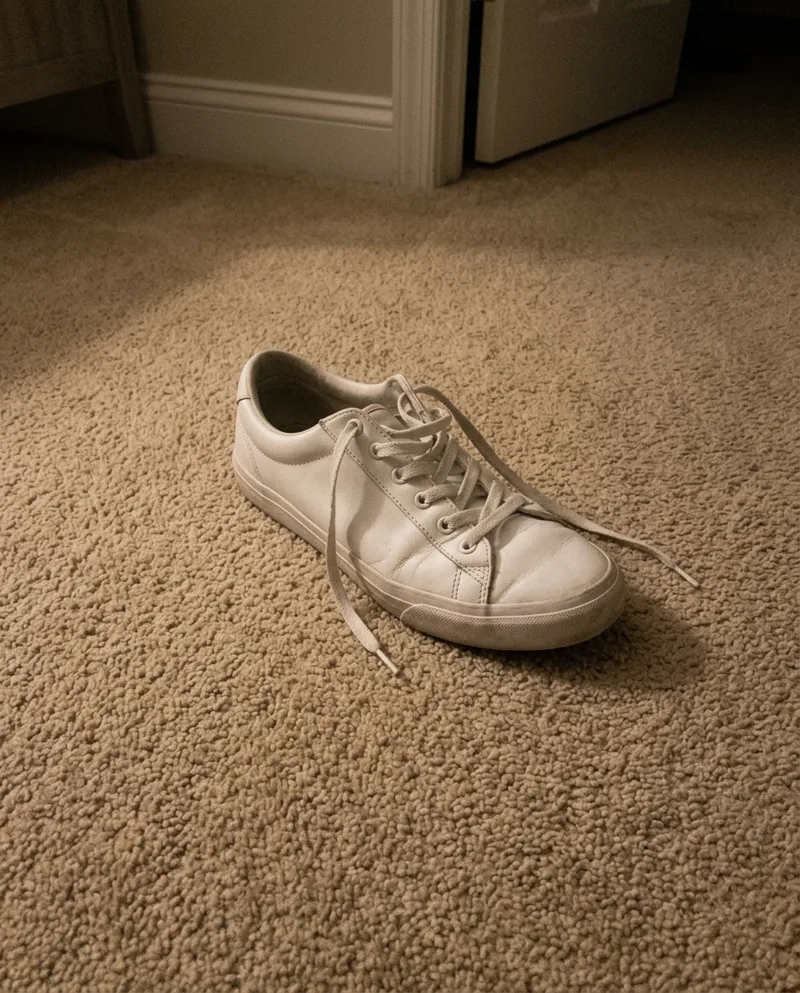
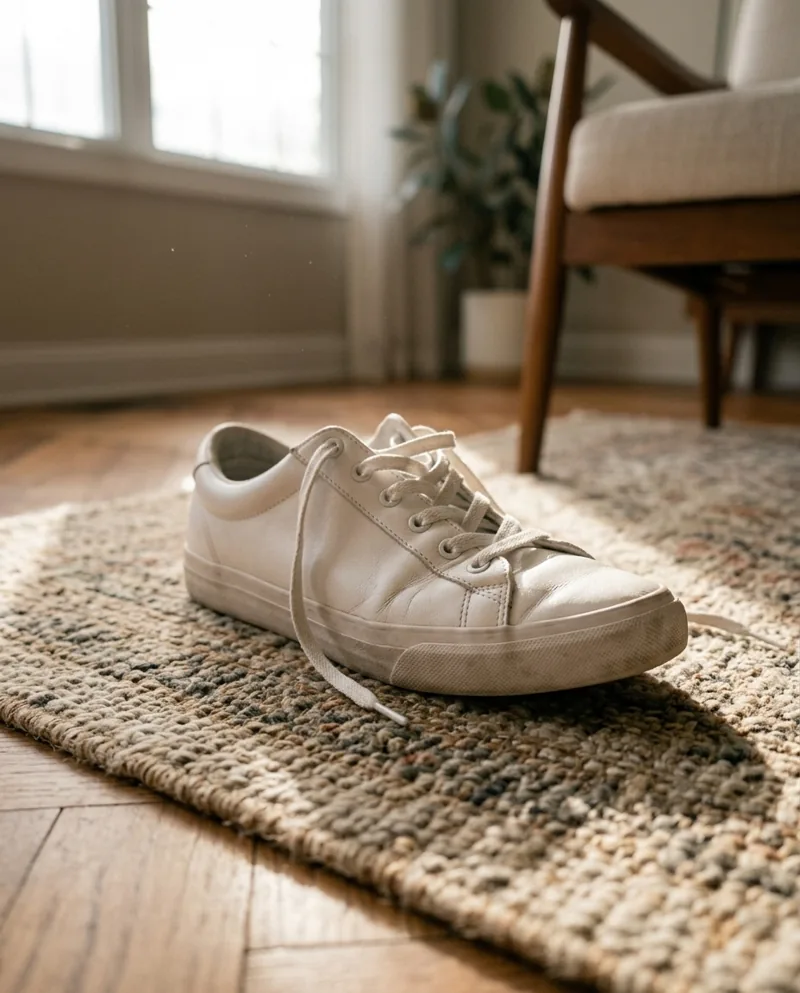
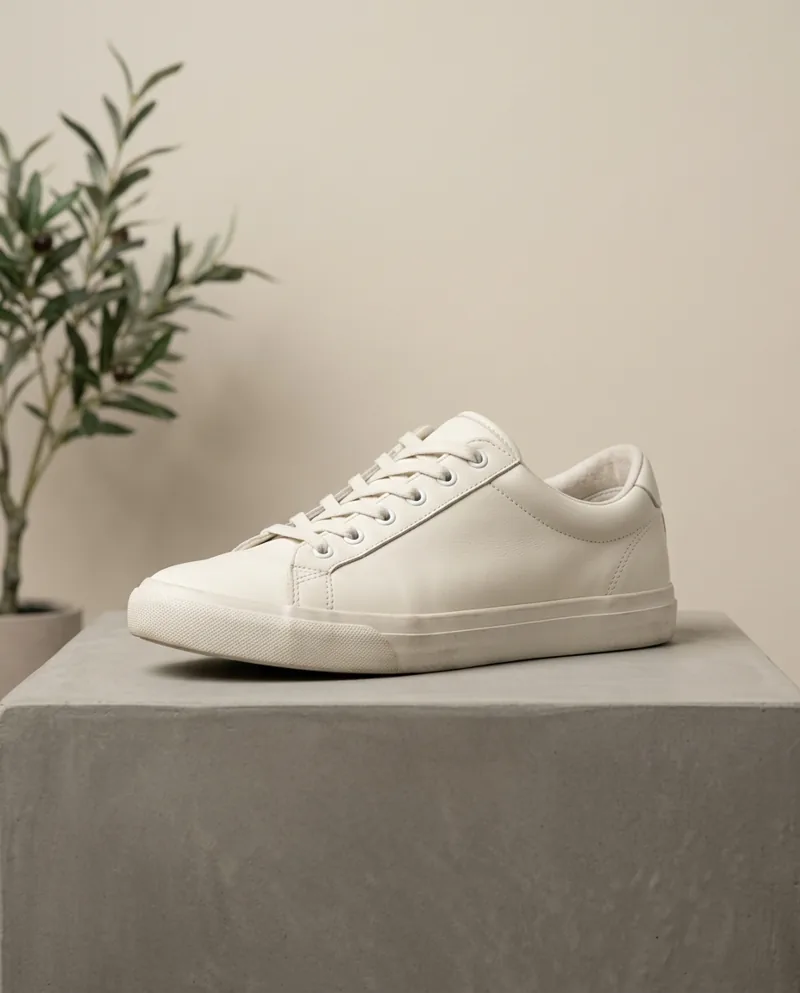
Left: a sneaker on a carpet, shot on a phone. Middle: a simple request — brighter, but still a living-room photo with a rug and furniture. Right: a structured prompt — the exact same shoe in a real studio set with controlled light.
The simple request
make it a professional photo
The structured prompt
Professional e-commerce product photograph of the exact sneaker shown in the reference image.
Preserve the product exactly: same shape, stitching, laces, sole, logo placement and colors — do not redesign it.
Scene: soft concrete plinth in a minimalist studio, warm neutral backdrop, an olive branch out of focus on the left.
Lighting: large softbox key light at 45° from the left, subtle fill from the right, gentle rim light, natural contact shadow.
Camera: 85 mm lens, f/8, eye-level three-quarter view, product centered, sharp from toe to heel, true-to-life colors, no text.
What makes a good image prompt?
- Subject and what to preserve: “the exact product from the photo, same shape, colors and logo” — this stops the AI from redesigning it.
- Scene: studio, surface material, background color, subtle props.
- Light: direction, softness, rim light, contact shadow — this is what reads as “professional”.
- Lens and framing: focal length, depth of field, angle, subject position.
- Final use: product page, ad, social post, print.
- Exclusions: no text, no watermark, no stray objects, true-to-life colors.
How NiceLook builds the prompt for you
NiceLook analyses your photo (subject, materials, colors, what must be kept), then applies the professional prompt of the module you pick — product photo, headshot, restoration, virtual try-on and 19 others — adjusted to your image. You can add your own instruction, or write everything yourself in the Custom prompt module.
Good to know
- A prompt can't fix a blurry or dark source photo: shoot in daylight on a clear background.
- Small text on labels can vary between generations: always check before publishing.
- Marketplace rules on AI images differ: see what each platform allows.
100 free credits on sign-up, no credit card, no subscription.
Try NiceLook for free →100 free credits (5 images) · no subscription · packs from €4.99
FAQ
What is an image generation prompt?
It's the text that tells the AI what image to produce: the subject, what to keep, the scene, the light, the framing and what to avoid. The more precise it is, the less the AI improvises.
How do I write a good prompt for a product photo?
Start by asking to keep the product exactly (shape, colors, logo), then describe the scene, the light (direction, softness, shadow), the lens and framing, and finish with exclusions: no text, no watermark, accurate colors.
Why doesn't my AI image look professional?
Usually because the request is too vague, so the AI only slightly improves what's there. A structured prompt that specifies scene, light and framing changes the result dramatically.
Do I need to know prompting to use NiceLook?
No. NiceLook analyses your photo and builds the module's professional prompt automatically. You can add an instruction, or write your own prompt in the Custom prompt module.