 NiceLook.net
How to make AI product photos for crochet and knitted items
To make AI product photos of a crochet amigurumi, bag or knitted scarf, upload your picture to NiceLook's Product photo module and ask for a clean white background or a fitting scene. The 100 free sign-up credits, with no credit card, cover 5 images at 1K; then an image costs 20 credits at 1K and 40 at 2K or 4K, with packs from €4.99 and no subscription.
100 free credits (5 images) · no subscription · packs from €4.99
Before and after: an amigurumi chick and its egg
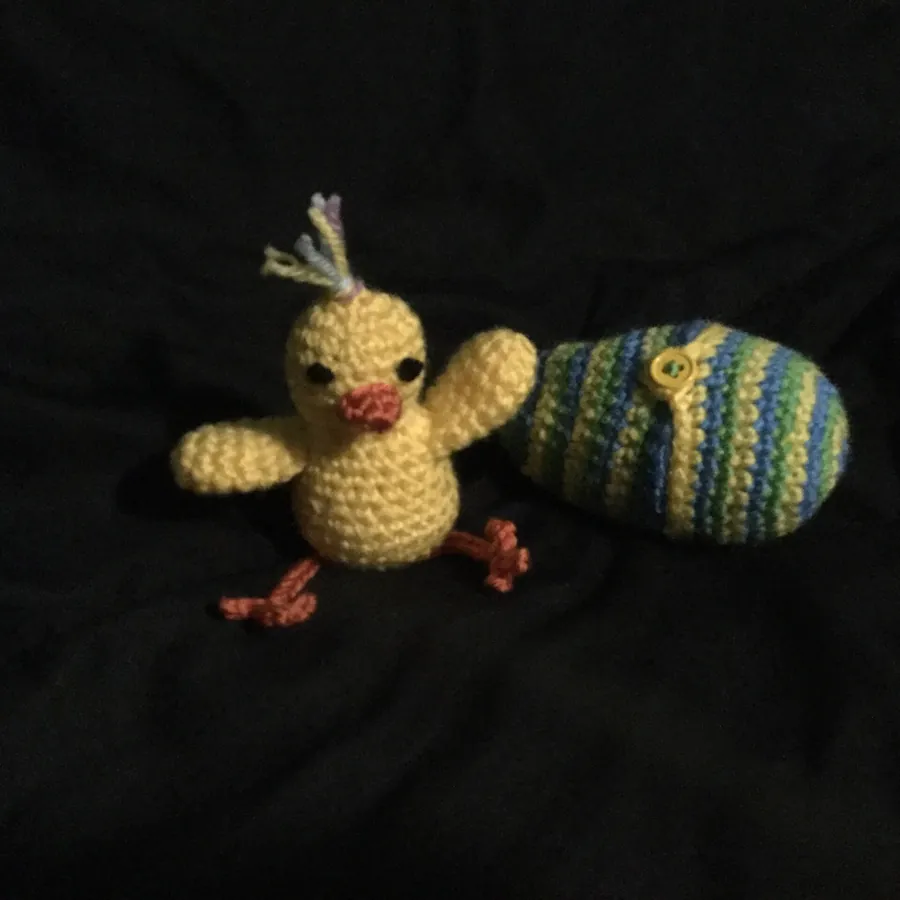
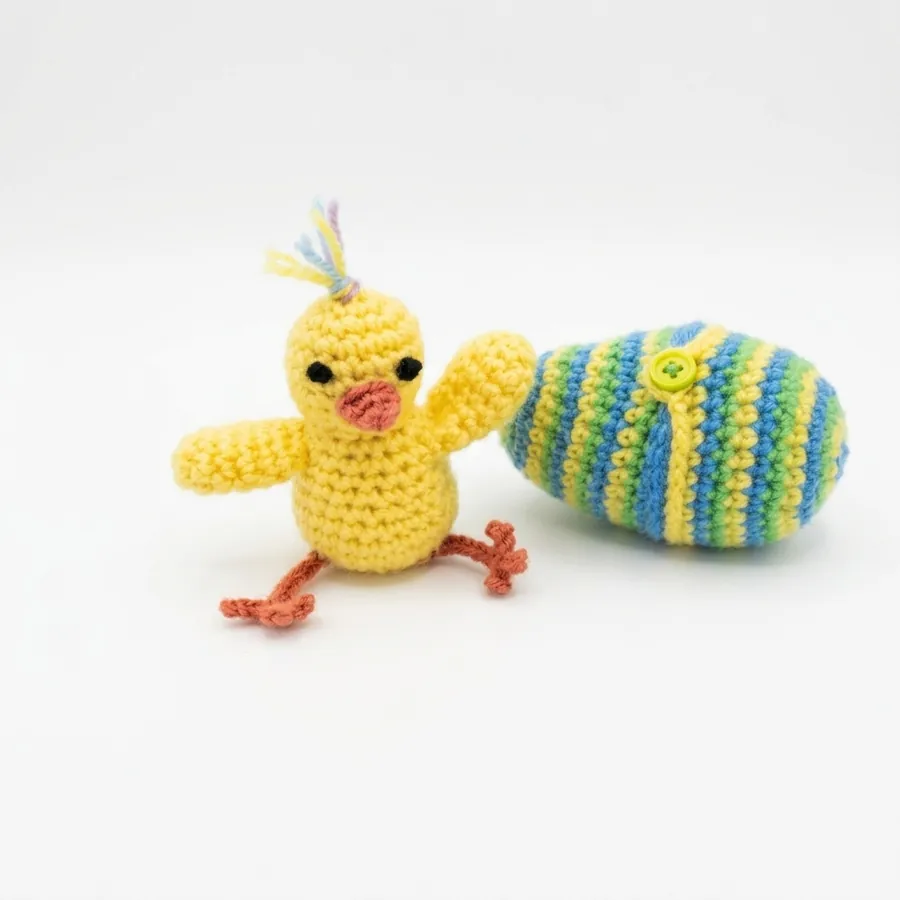
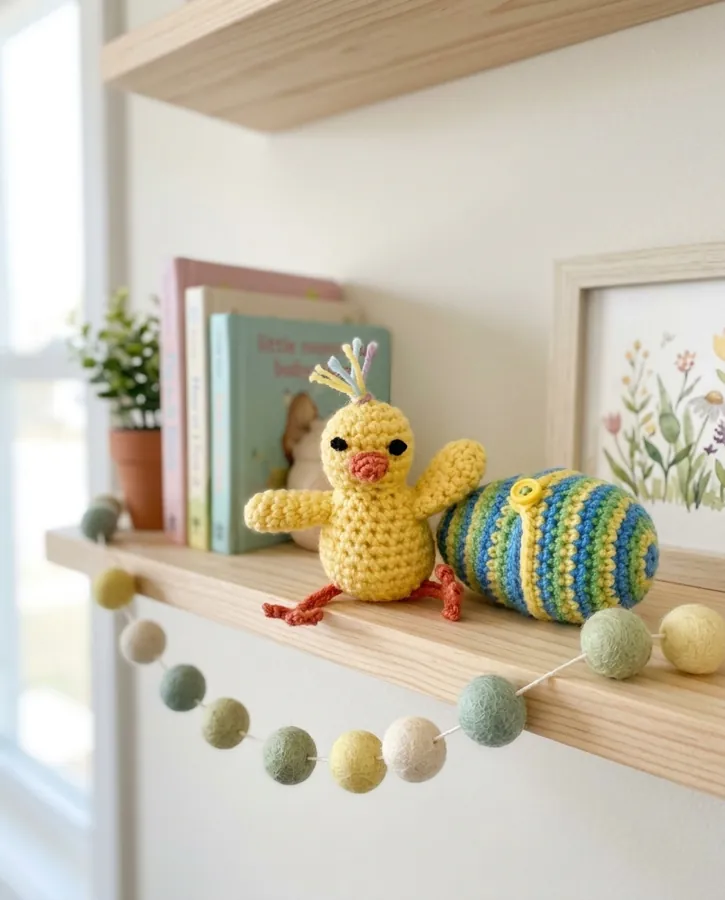
The original photo, taken on black fabric in weak light, hid the colour of the yarn. On white, the chick, the button and the little tuft stayed faithful, and the yarn regained readable colours. The egg's stripes, however, were redrawn: their width and shades are not quite the maker's pattern. The shelf scene speaks to buyers, but it adds objects (books, a frame, a garland) that are not part of the sale. Check the stripes, the colours and the proportions before you publish.
How to do it in 3 steps
- Shoot near a window in daylight, on a light backdrop rather than black: yarn shows its true colours there. Keep the whole piece in frame with margin. A scarf or a doily laid flat? The Flat lay module is worth a try too.
- Open the Product photo module, upload the picture and type a short instruction, for example: “white background, keep the yellow yarn and the blue and green stripes, stitches clearly visible”. For a scene: “on a light wood shelf, child's bedroom, soft light”.
- Generate at 1K (20 credits) to check the yarn colours, then at 2K or 4K (40 credits) so the stitches stay readable when zoomed. Download the image and add it to your listing.
What to check on crochet or knitwear
A handmade piece is judged on its stitches and colours. Look closely at these points.
- Stitches: their size and regularity show the scale of the stitch. They should look like yours, not like a smoother generic knit.
- Yarn colours: stripes, gradients or heathers must keep their order and shades. This is the detail most often altered on a multicolour yarn.
- Proportions: head, limbs, bag handle, scarf length. A small distortion changes the look of an amigurumi.
- Small details: eyes, buttons, clasps, labels. Count them and compare with the real piece.
- Perceived size: a scene can make the piece look bigger or smaller. State the dimensions in the listing. Toys for children also fall under their own safety rules, which are a separate matter from photos.
A ready-to-copy instruction
Paste this into the Product photo instruction field, adapting the piece and the setting:
Professional product photograph of the exact crochet piece in the reference image.
Preserve the product exactly: shape, proportions, stitch size and texture, order and colors of the stripes, buttons, eyes and small details. Do not redesign it and add nothing on the piece.
Scene: pure white background with a faint contact shadow (or, for a scene: a light wood shelf in a child's bedroom, soft light).
Lighting: soft window light, no harsh reflections, matte and textured yarn.
Camera: front view, piece centered and sharp, colors true to the original yarn.
What does it cost for your designs?
There is no subscription: a 1K image costs 20 credits and a 2K or 4K image 40. Packs cost €4.99 for 500 credits, €9.99 for 1,500 and €24.99 for 5,000, which puts a 1K image between €0.10 and €0.20. Purchased credits never expire. For each item, count one 1K test and one final image at 2K.
Good to know
- One image at a time: no batch processing, no API and no integration with Etsy, Shopify or any other shop. You download each image and upload it yourself.
- Badge and watermark: the first 2 free images carry a small badge, the following ones a more visible watermark. It is removed for good after your first credit purchase.
- The image is redrawn: for crochet and knitting, keep real close-ups of the stitches and colours, so buyers see the piece as it will arrive.
- Privacy: your data is stored in France and your photos are never used to train AI models. NiceLook is published by waitech france.
When you sell online, always show the product faithfully: each platform's rules are summarised in our guide to AI images and marketplaces.
100 free credits on sign-up, no credit card, no subscription.
Try NiceLook for free →100 free credits (5 images) · no subscription · packs from €4.99
FAQ
How do I make a product photo of crochet with AI?
Photograph the piece on a light backdrop near a window, upload it to NiceLook's Product photo module and ask for a white background or a scene. Test at 1K for 20 credits, then generate at 2K or 4K.
Does AI keep the colours and stripes of my yarn?
Often, but not always: in our test, the egg's stripes were slightly redrawn. Compare with the real piece and regenerate describing the colour order if needed.
Can I photograph a knitted scarf the same way?
Yes. Lay it flat near a window and use the Product photo or Flat lay module. Check the stitch pattern, the length and the colour before you publish.
How much do photos of my crochet designs cost?
A 1K image costs 20 credits and a 2K or 4K image 40 credits. Packs start at €4.99 for 500 credits, with no subscription, and the 100 free credits cover 5 tests at 1K.