 NiceLook.net
How to make AI product photos for handmade pottery
To make AI product photos for handmade pottery, upload your picture to NiceLook's Product photo module and ask for a clean white background or a styled table. The 100 free sign-up credits, with no credit card, cover 5 images at 1K; then an image costs 20 credits at 1K and 40 at 2K or 4K, with packs from €4.99 for 500 credits and no subscription.
100 free credits (5 images) · no subscription · packs from €4.99
Before and after: a stoneware mug with a painted flower
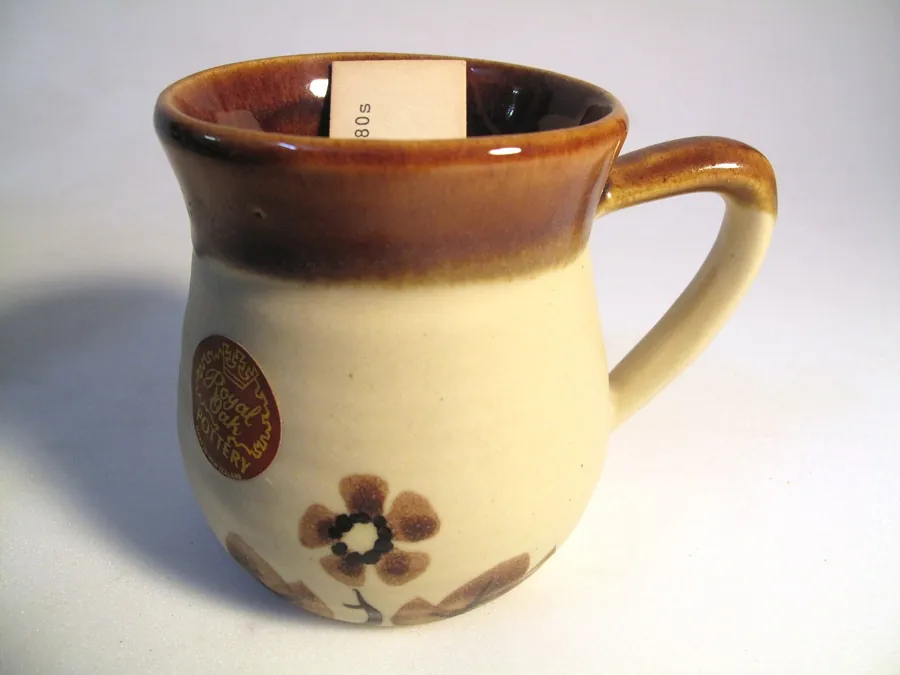
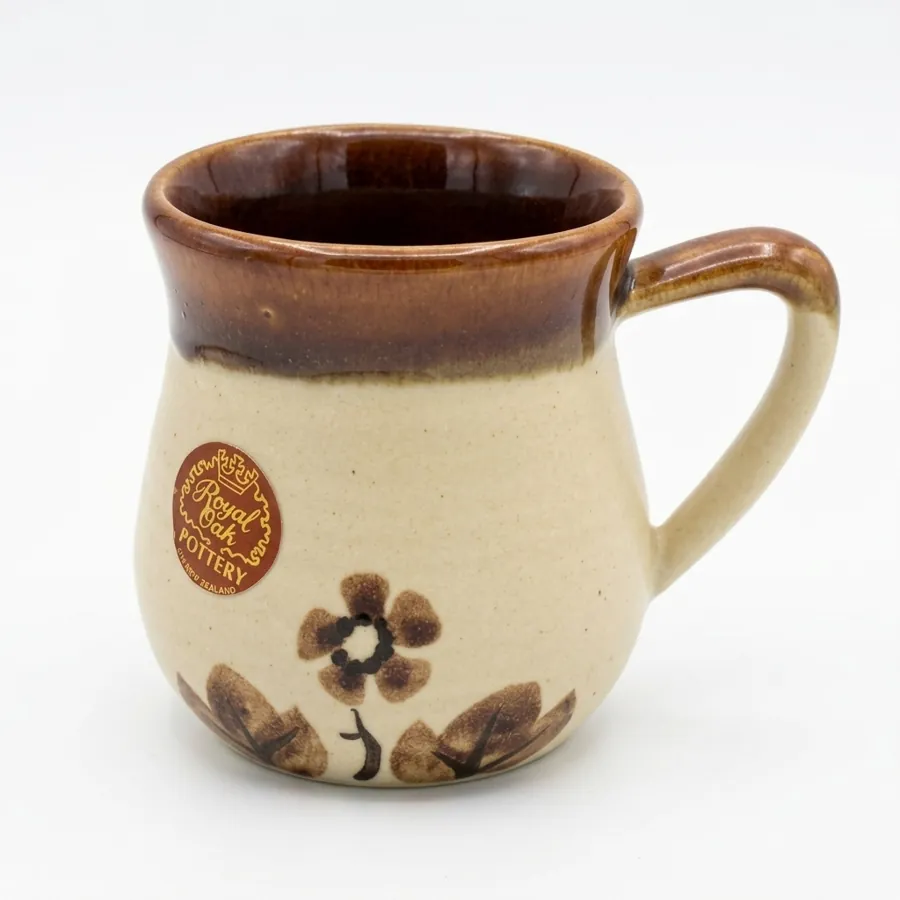
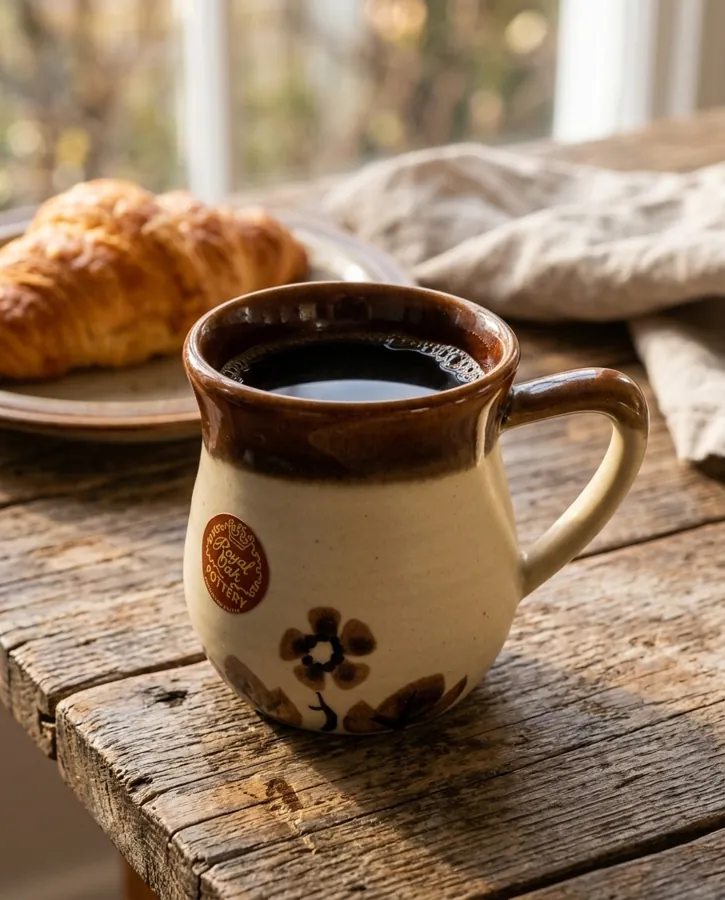
The starting photo is typical of a workshop: greyish backdrop, hard shadow, a paper tag inside the mug. The white-background image is much cleaner: the brown glaze, the painted flower and the round “Royal Oak Pottery” sticker stayed very recognisable, and the paper inside is gone. The shape is slightly rounder, though, the handle is a little different and the flower's petals are redrawn. The styled scene (wooden table, coffee, croissant) is appealing, but the flower is smaller and softer there. Compare the shape and the painted decoration with your real piece.
How to do it in 3 steps
- Shoot near a window in indirect daylight, on a white sheet or light card. Get down to the height of the piece, with the handle side-on and the decoration facing you. Leave some margin around it.
- Open the Product photo module, upload the picture and type a short instruction, for example: “pure white background, soft shadow, keep the glossy brown glaze and matte cream stoneware, painted flower exactly as is”. For a scene: “on a wooden table, coffee, morning light”.
- Generate at 1K (20 credits) to judge shape and glaze, then at 2K or 4K (40 credits) for the listing. Download the image and add it to your shop.
What to check on pottery
Every piece of pottery is unique, and that is what the customer buys. The redrawn image has to stay honest on these points.
- The exact shape: belly, height, handle curve. A slightly rounder mug is still a different mug to an attentive buyer.
- Glaze and colour: glossy or matte, shades, drips. The tone should be the one that came out of the kiln, not a catalogue colour.
- Reflections: glazed ceramic mirrors the window and the walls. Check that a reflection has not been taken for a flaw, or the other way round.
- Intentional flaws of the piece: throwing marks, glaze drips, fingerprints. They make the craft, so do not let them vanish.
- Painted decoration and marks: motif, potter's signature, stamp. Check they are intact, or keep a real close-up.
A ready-to-copy instruction
Paste this into the Product photo instruction field, adapting the piece and the setting:
Professional product photograph of the exact ceramic piece in the reference image.
Preserve the product exactly: shape and belly, handle, glaze colors and shades, stoneware texture, painted decoration, signature or stamp, and every handmade irregularity. Do not redesign it, add nothing.
Scene: pure white background with a soft contact shadow (or, for a scene: a light wooden breakfast table, a linen cloth, coffee, morning light).
Lighting: one large soft window source from the left, controlled glaze reflections.
Camera: three-quarter view at the height of the object, piece centered, sharp across its whole surface.
What does it cost for your studio?
There is no subscription: a 1K image costs 20 credits and a 2K or 4K image 40. Packs cost €4.99 for 500 credits, €9.99 for 1,500 and €24.99 for 5,000, which puts a 1K image between €0.10 and €0.20. Purchased credits never expire. For each piece, count one 1K test, then one white-background image and one styled scene, both at 2K.
Good to know
- One image at a time: no batch processing, no API and no integration with Etsy, Shopify or any other shop. You download each image and upload it yourself.
- Badge and watermark: the first 2 free images carry a small badge, the following ones a more visible watermark. It is removed for good after your first credit purchase.
- The image is redrawn: for pottery, keep real photos for close-ups of the glaze, the signature and the imperfections, so each unique piece is shown honestly.
- Privacy: your data is stored in France and your photos are never used to train AI models. NiceLook is published by waitech france.
When you sell online, always show the product faithfully: each platform's rules are summarised in our guide to AI images and marketplaces.
100 free credits on sign-up, no credit card, no subscription.
Try NiceLook for free →100 free credits (5 images) · no subscription · packs from €4.99
FAQ
How do I make a product photo of handmade pottery with AI?
Photograph the piece near a window, upload it to NiceLook's Product photo module and ask for a clean white background or a styled table. Test at 1K for 20 credits, then generate at 2K or 4K.
Does AI change the shape of my pottery?
It can round it off or slightly alter the handle: it happened in our test. Compare the silhouette with your real piece before publishing, and keep real side-on photos.
Will my painted decoration be kept?
The main motif stays recognisable, but fine details such as petals and signatures are redrawn. Check them, and add a real close-up if the decoration is a selling point.
How much do photos of my ceramics cost?
A 1K image costs 20 credits and a 2K or 4K image 40 credits. Packs run from €4.99 (500 credits) to €24.99 (5,000), with no subscription. Sign-up includes 100 credits.